Arjun KhannaRegional Head, Finserv · Pune
Two attempts, both after 6pm, both missed. He picks up before noon. Last call ended on the approval process — open there.
Reps open ColdCall for the next call, the context behind it and live guidance while they talk. Because the work happens in one place, managers get the activity, follow-up discipline and performance picture without asking anyone for an update. Start on a compatible Android 12+ phone, then add deeper analytics and AI assistance where the plan, calling route, permissions and consent allow.
14 days · No card · Human setup help available for initial launch customersTwo attempts, both after 6pm, both missed. He picks up before noon. Last call ended on the approval process — open there.
He just named a second approver. Ask who signs off and when their cycle closes.
Nobody typed this. It is also the manager's report.
You may not need another dialler. You may need an honest answer to one of these questions—and a practical way to improve it.
Activity is scattered across phones, WhatsApp messages and end-of-day sheets, so the manager never has one dependable view.
High call volume can hide the real leak when nobody can compare attempts, connections, conversations and next steps.
A promising conversation is easily lost when the outcome, owner or callback is not captured before the next call begins.
Call counts show effort, but they do not explain who is struggling with preparation, connection or conversion.
Choose the words that sound most like your day. In three steps, we'll connect the pain you recognise to the smallest ColdCall layer designed to change it.
Choose the answer closest to the decisions you carry—not necessarily your job title.
ColdCall by thynkWISE is AI cold calling software for sales teams that plan calls, prepare reps, track supported call events, require outcomes and callbacks, and show managers what to improve. It works across compatible Android phones, a web workspace and eligible browser calling routes.
It was designed around the operating problem sales teams face every day: managers need dependable execution visibility without chasing callers for hourly or end-of-day updates.
Product information reviewed 9 September 2026 · Capabilities depend on plan and approved calling routeAI cold calling software helps a sales rep decide who to call, prepare with relevant context, capture the outcome and identify the next action. On supported browser routes it can also provide live transcription and coaching without replacing the human conversation.
ColdCall combines a web workspace, a compatible Android 12+ app and an eligible Chrome calling workflow. Reps work from queues, review context, call through an approved route, record the disposition and schedule the required follow-up.
ColdCall is designed first for Indian businesses with 4–25 mobile or distributed callers, including DSA and financial-product teams, telecom and channel partners, franchise networks and field-sales organisations. It also supports smaller teams that need a disciplined starting point.
No. Recording and transcription depend on the device or calling route, tenant configuration, permissions and legally required consent. A normal handset call does not automatically expose the other participant's audio to the Chrome extension.
We'll show how ColdCall tracks supported call events automatically, adds or attaches recordings when the device, calling route and consent allow, and logs every outcome, note and callback in one team workspace.
No specialist calling hardware. We'll confirm phone and route compatibility during the demo.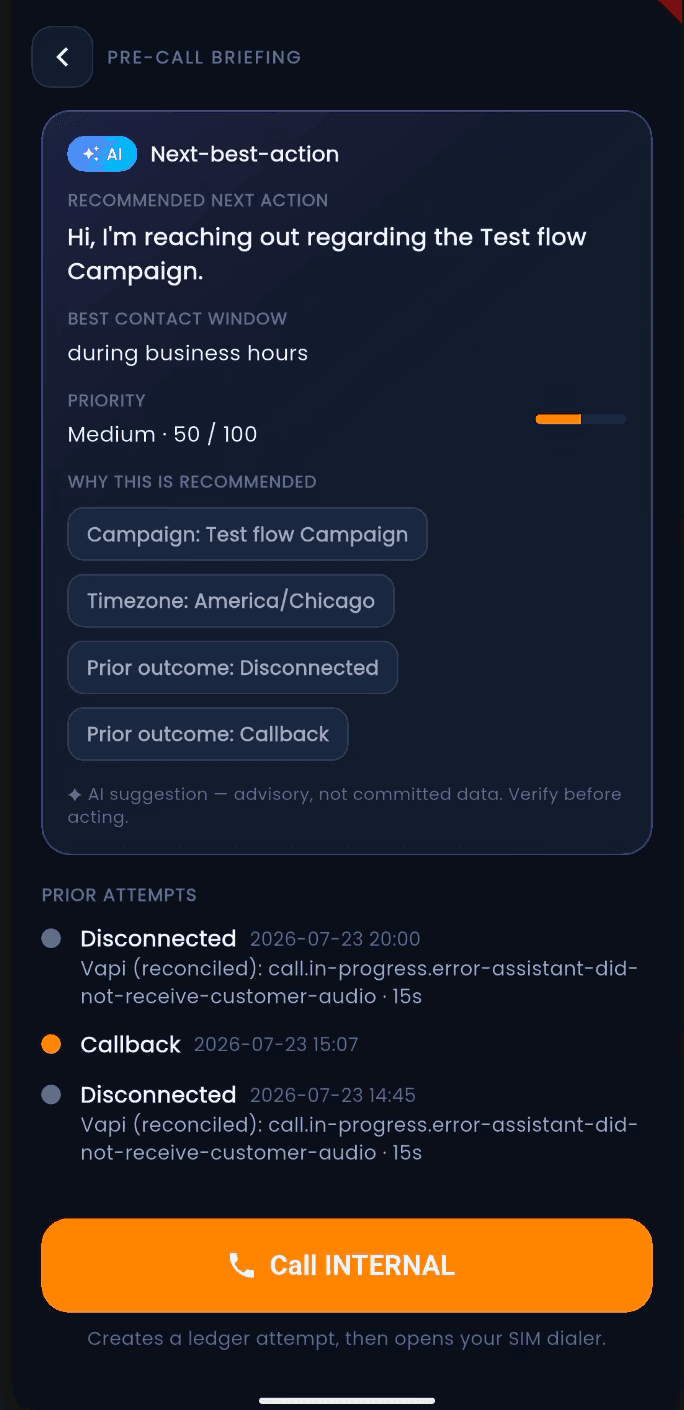
thynkWISE holds independent international certifications for the management systems behind responsible AI and information security. The assurance is company-level, giving ColdCall buyers a stronger governance foundation without overstating any single product feature.
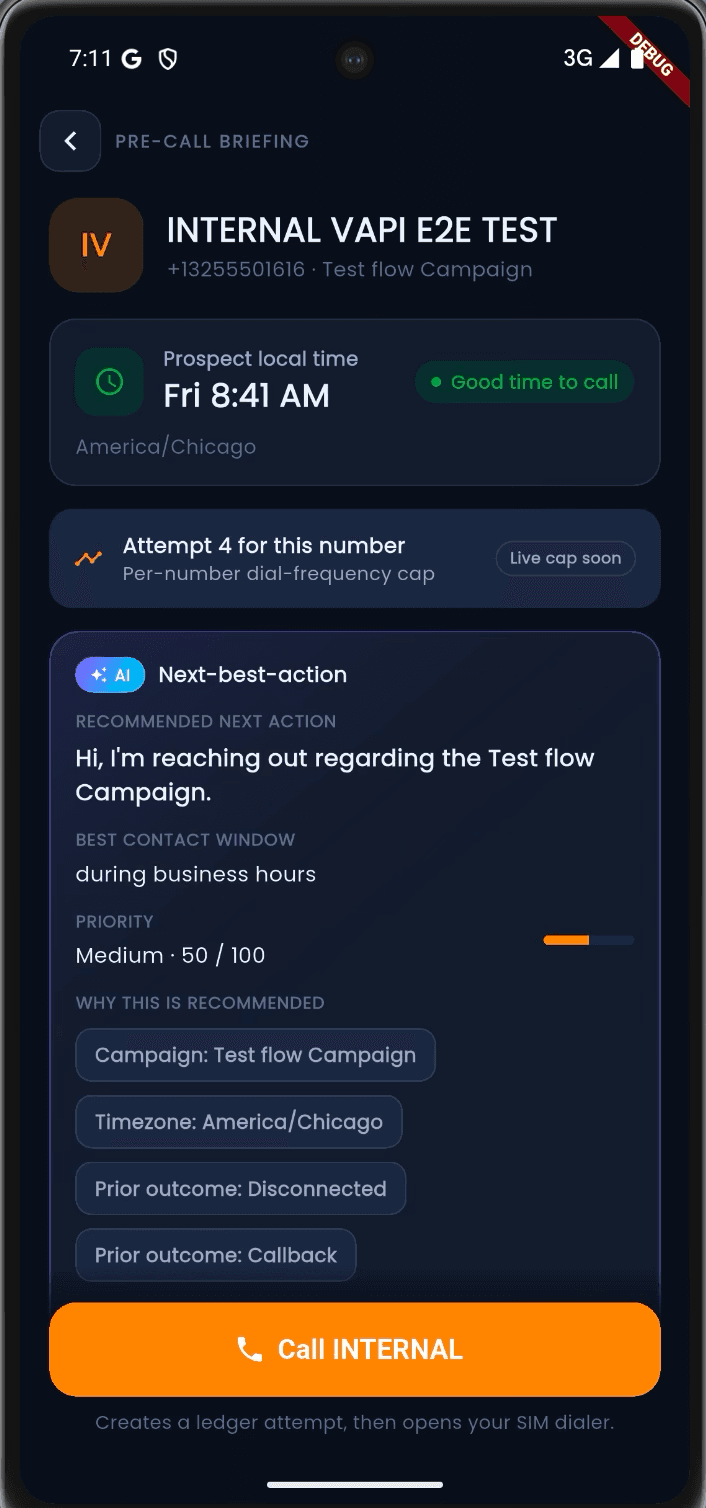
Visit the thynkWISE Trust CenterColdCall recommends the next-best action from campaign, timezone and prior outcomes. It supports eligible browser calls live, then turns disciplined wrap-up data into personal and team coaching.
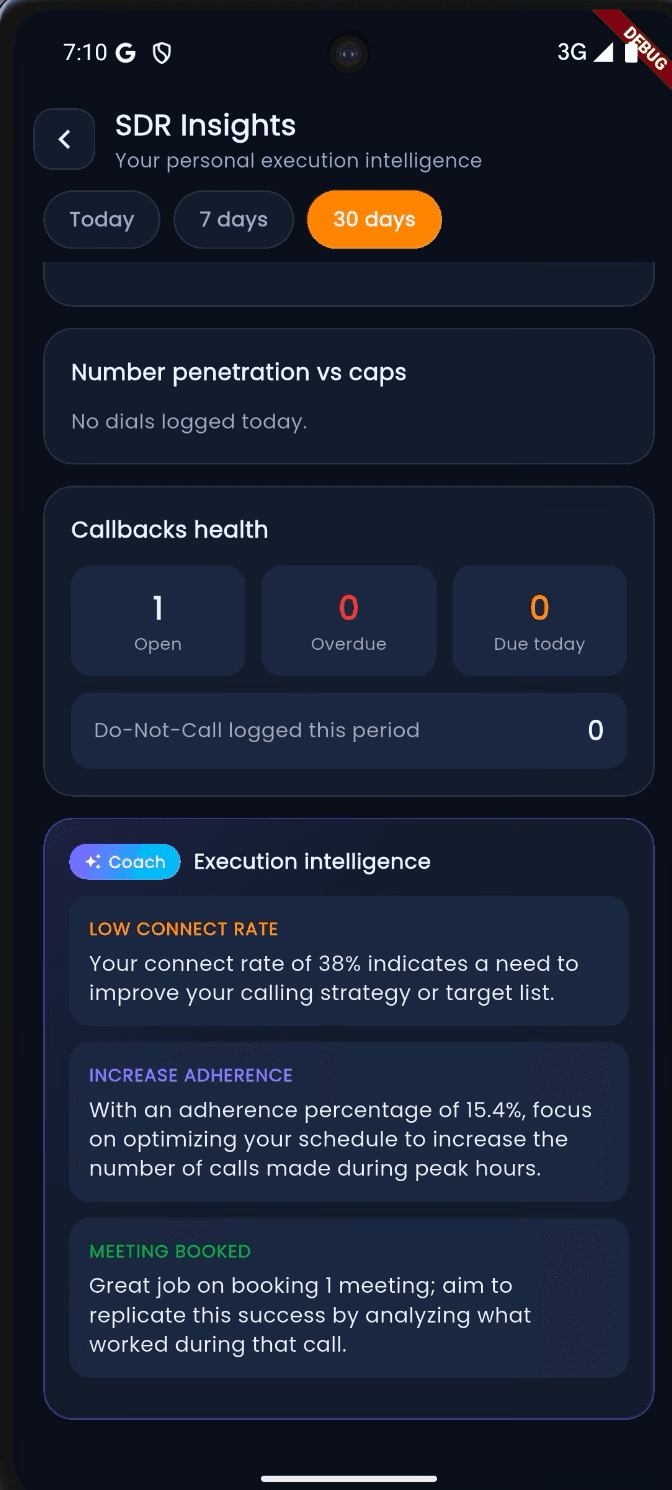
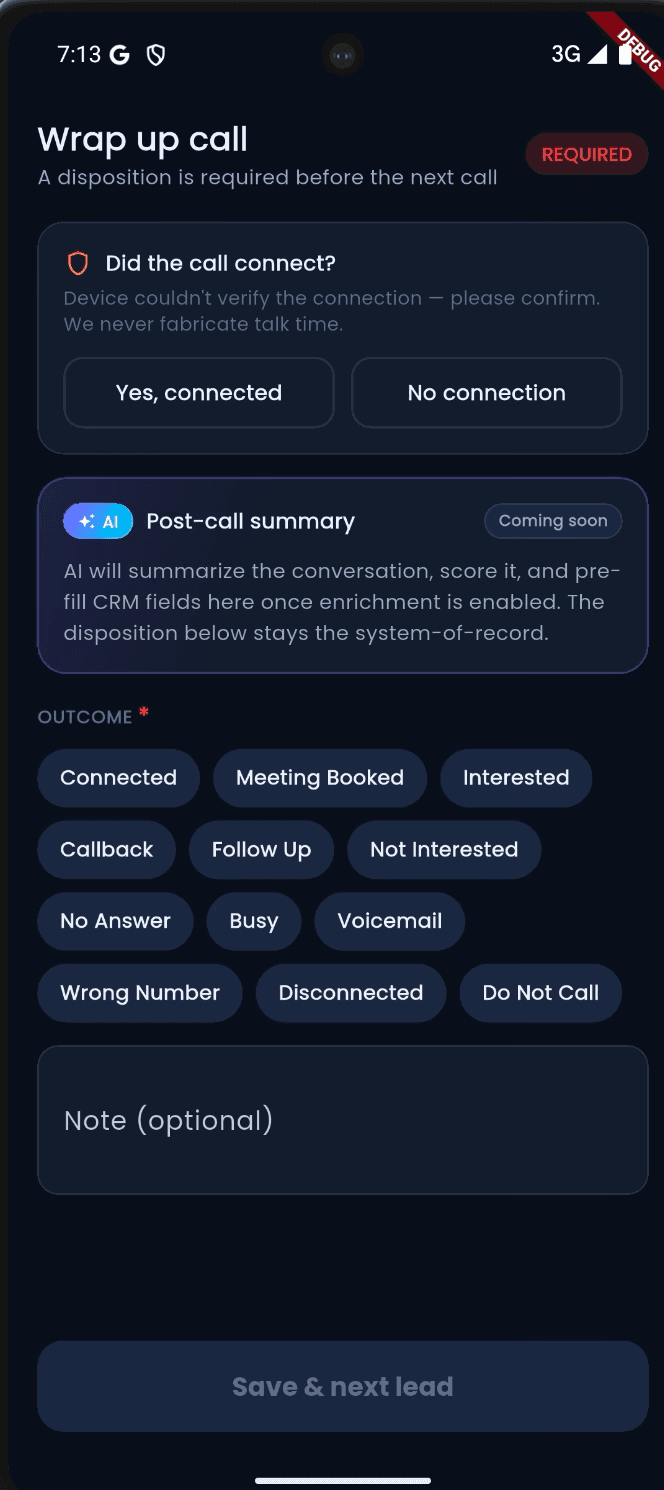
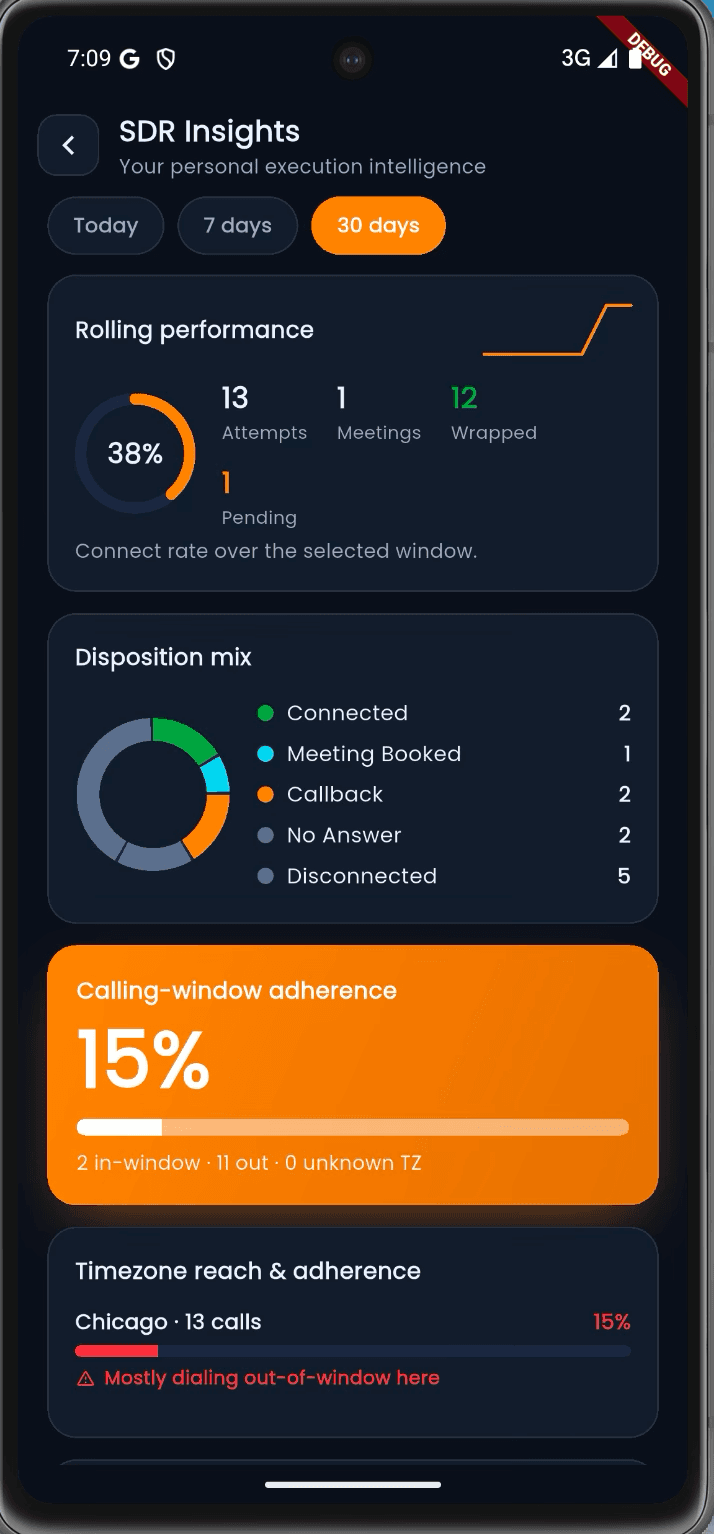
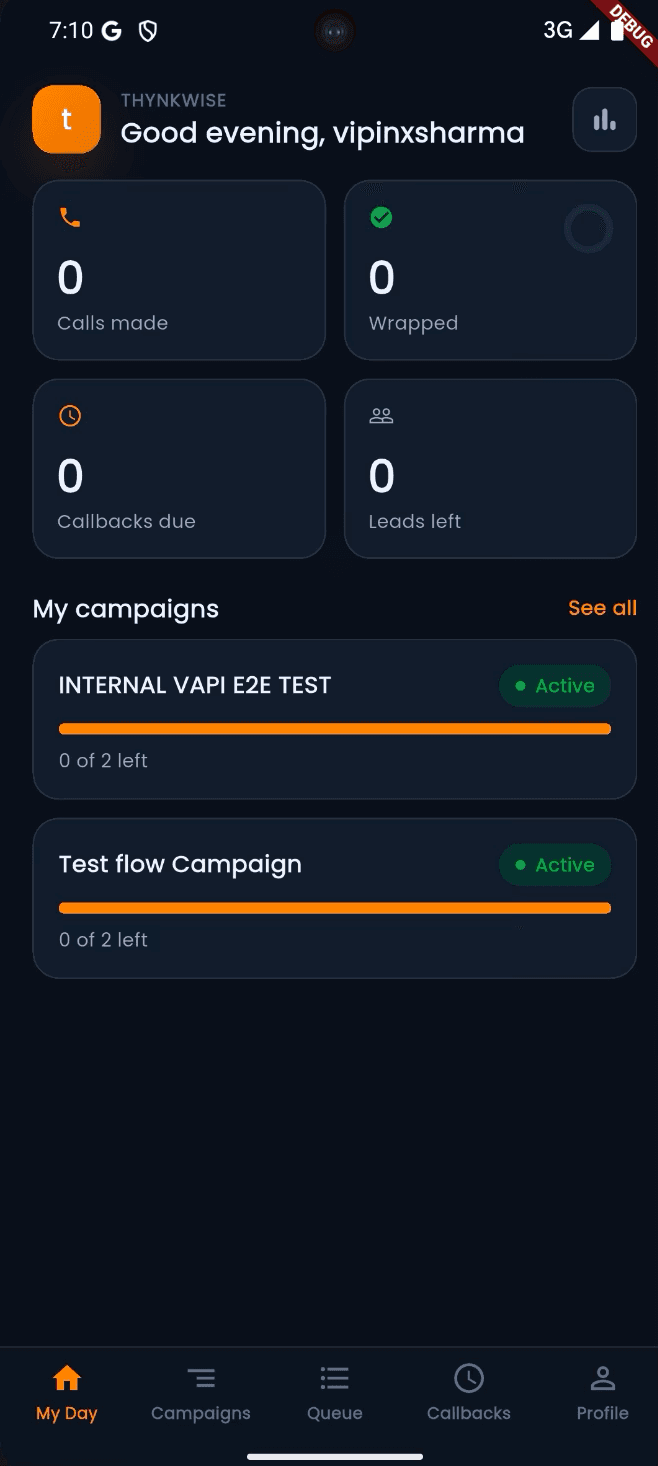
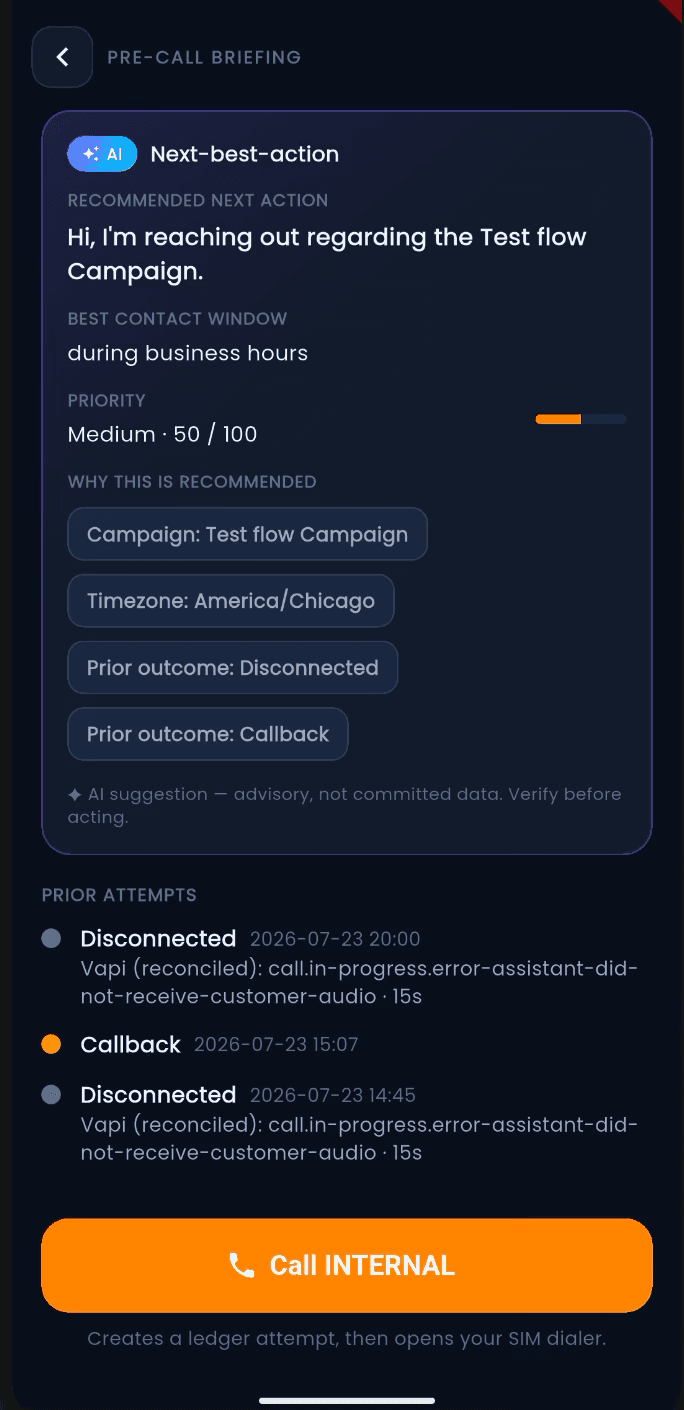
Call establishes execution visibility. Coach shows where performance and follow-up can improve. Command adds recurring intelligence and governed human-and-AI orchestration at scale.
Know what was attempted, connected and followed up without chasing manual updates.
Give reps a disciplined calling workflow and managers a basic, reliable view of daily execution.
Start free trialSee where execution is working, where revenue is leaking and who needs coaching.
Improve preparation, connect-to-appointment performance and follow-up discipline with manager-ready insights.
Start free trialRun human and AI calling from one governed management layer.
Turn team, campaign and conversation data into recurring management decisions and measurable revenue action.
Contact salesMonthly prices are ₹499, ₹999 and ₹1,999 per licence. Quarterly and annual discounts are applied to the invoice. Prices exclude applicable taxes and third-party usage; carrier, number, messaging, transcription and AI-provider costs are charged separately where used. Your workspace shows the applicable allowances and usage. Any overage policy must be confirmed before activation rather than hidden inside the licence price.
ColdCall helps the rep decide and act before, during and after the conversation. SuperCRM carries that evidence into qualification, deal progress, coaching and forecast decisions.
Start with a bounded workflow, confirm fit, then choose the SuperCRM edition and ColdCall layer that match your team.
Build my revenue stackNo automatic purchase · fit and commercial scope confirmed first
ColdCall connects preparation, the live conversation, follow-up and reporting. Reps spend less time deciding what to do; managers see where execution is working, where revenue is leaking and which action should happen next.
Use campaign priority, calling windows and prior outcomes to put the right conversation in front of the rep.
Keep customer context close and surface live AI guidance on eligible browser calls without breaking the rep's flow.
Capture the outcome, callback and coaching signal before the next lead enters the queue.
The same conversation, seen by four people who each need something different from it.
 Elena
ElenaOpens My Day, takes the top of the queue with the campaign, timezone and last outcome already attached.
ElenaOn an eligible browser route the transcript and pacing prompt run beside her. On a handset it stays queue, notes and disposition.
 Bharat
The required wrap-up makes the outcome and callback exist, so Monday's coaching is evidence and not memory.
 OJ
OJCampaign, CRM and licence records stay one set of numbers — no export, no reconciliation meeting.
 Vipin
VipinRecurring reports connect calling effort to pipeline, and AI voice agents extend the motion without losing the handoff to a person.
Call tracking tells you what happened. ColdCall is designed to help the rep decide what to do before, during and after the conversation - then help the manager act on the pattern.
| What you need | Full execution layerColdCall | Runo | Callyzer |
|---|---|---|---|
| Primary calling model | Web workspace, Android app and eligible browser softphone flows | Mobile-first SIM calling plus virtual-number options | Android SIM call tracking with a web management dashboard |
| Lead queues and follow-up discipline | Queues, campaigns, ownership, callbacks and mandatory outcomes | Lead management, auto allocation, reminders and CRM timeline | Lead distribution, statuses, follow-ups and not-contacted views |
| AI before the call | Next-best action using campaign, timezone and prior outcomes | AI sales/chat assistant and lead context | Not listed on the public pricing page |
| Live conversation assistance | Live transcript and coaching on eligible browser calls | AI scoring, sentiment and coaching insights are publicly highlighted | Real-time monitoring; native live AI coaching is not publicly listed |
| After-call intelligence | Suggested wrap-up, summaries, QA scorecards and coaching workspace | AI summaries, sentiment analysis and call scoring | Call reports and recording review; AI packaging is not listed publicly |
| Human + AI calling orchestration | Human reps, AI voice agents, governed handoff and workflows | Human SIM/virtual-number calling with AI assistance | Human SIM call tracking and team monitoring |
| Integrations | CRM-connected workflows, webhooks and multichannel orchestration | Popular CRMs, lead sources, WhatsApp and APIs | Google Sheets, APIs, webhooks and CRM add-ons |
| Public starting price | ₹499 per licence/month | From ₹599 per user/month | From ₹175 per phone number/month; add-ons separate |
Public product information checked 17 August 2026. “Not listed publicly” means the capability was not found on the reviewed public product or pricing pages; it does not assert that a vendor cannot provide it. Confirm current packaging before purchase.
Competitor capabilities are summarised here so you can compare without leaving the ColdCall microsite.Real ColdCall screens show the two sides of adoption: a clear setup path for admins and live, contextual help for reps.
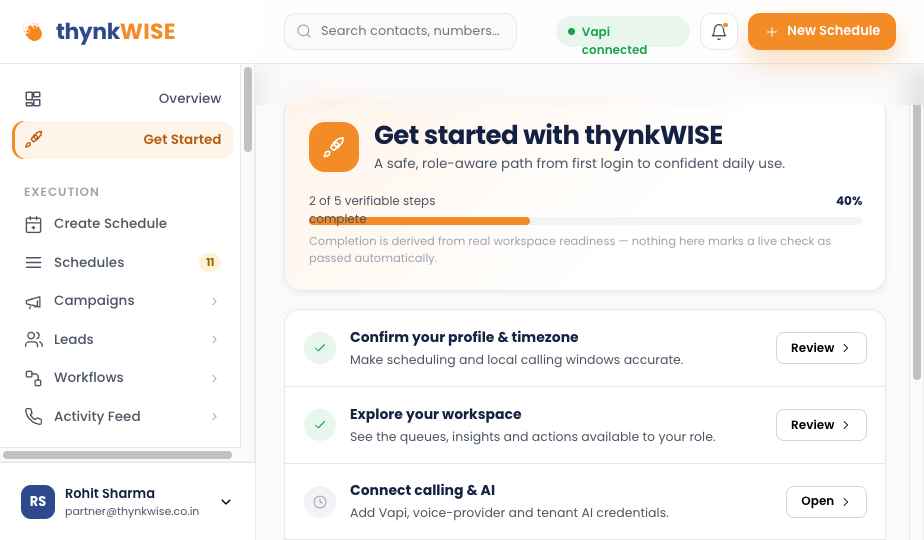
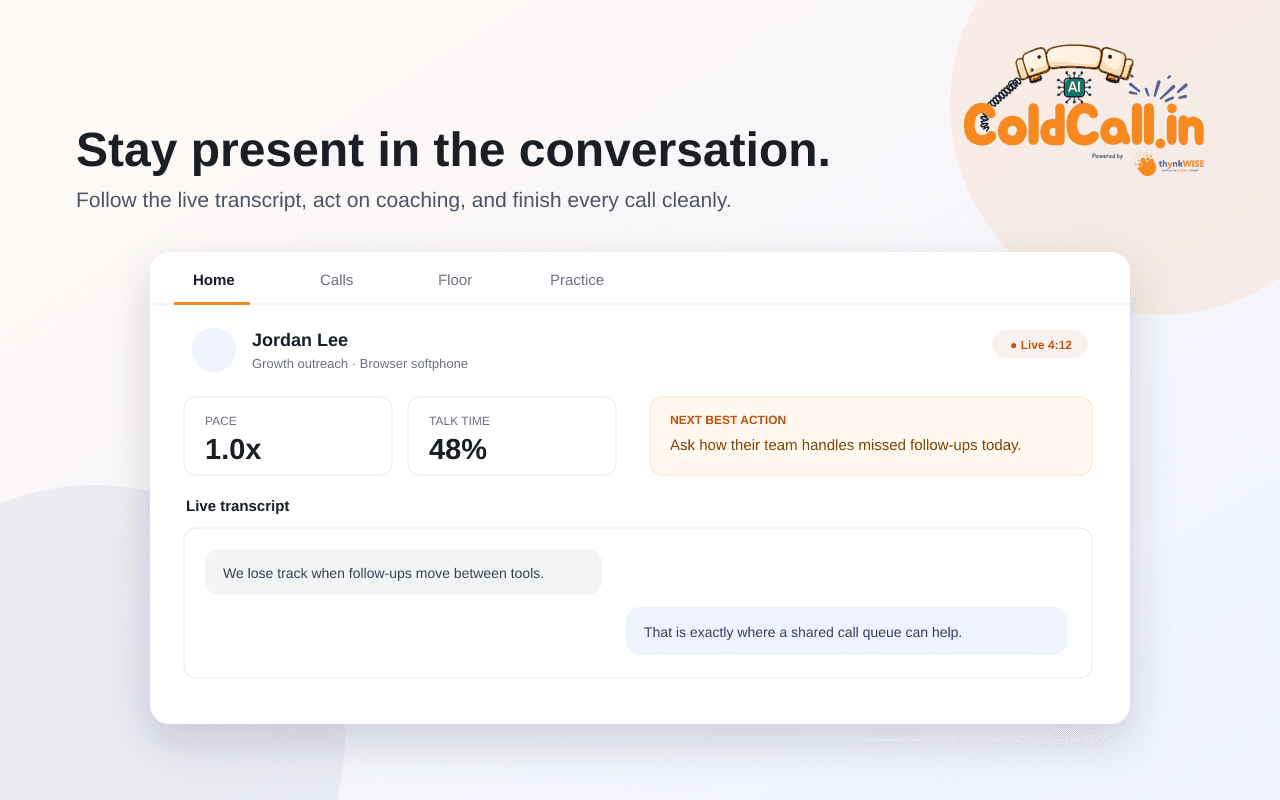
Call gives every manager the basic activity picture. Coach adds performance and conversion insight for the primary 4–25 caller segment. Command brings recurring intelligence plus human and AI calling into one governed operating layer.
| Capability | Call₹499 | Coach₹999 | Command₹1999 |
|---|---|---|---|
| Web workspace + Android app | |||
| Lead queues, dispositions + callbacks | |||
| Basic rep + team activity reporting | |||
| Campaigns + smart lead allocation | — | ||
| Chrome extension: lookup + click-to-call | |||
| Live AI coaching + suggested wrap-up | — | ||
| Team performance funnel + campaign reporting | — | ||
| AI voice-agent orchestration | — | — | |
| QA benchmarks + recurring management reports | — | — | |
| Workflow + multichannel orchestration | — | — | |
| Onboarding | Guided self-setup | Priority guided setup | Assisted rollout |
The queue, context, call and wrap-up stay in one operating flow.
See the behaviour to reinforce and the next decision to make without assembling reports.
Move from disciplined human calling to live assist and AI orchestration without replacing the operating model.
Vipin spent years cold calling and then being tracked on it by leadership — two jobs that never agreed on the same number. ColdCall is what the team built to settle that, and then put AI through: preparation, live coaching, wrap-up and the reports leadership asks for.

Made the calls, then got asked for the numbers at 7pm. ColdCall is the workflow he wanted on both sides of that conversation.
Owns: the product
Wired the catalogue so what marketing sells is what the product enforces. One price, one entitlement, one invoice.
Owns: catalogue and billing
Turned coaching from an opinion into evidence — transcripts, benchmarks, and the two reps to sit with tomorrow.
Owns: coaching and AI prompts
Fought for the rep's day: fewer decisions, one queue, an outcome that takes a second to record.
Owns: rep workflowClear answers on licences, usage and what browser calling can safely support.
Ask us something elseColdCall by thynkWISE is AI cold calling software for sales teams. It brings call preparation, supported activity tracking, required outcomes, callbacks, coaching and manager visibility into one governed workflow across Android, web and eligible browser calls.
A basic call-tracking app mainly reports what happened. ColdCall is designed to guide action before the call, support eligible conversations while they happen, require a usable outcome afterwards and turn that execution data into coaching and workflow decisions.
Yes. The name reflects the primary acquisition use case, but the workflow also supports warm leads, scheduled callbacks, campaign follow-ups and existing-customer conversations when they are configured in your team's queues and policies.
One licence is assigned to one named user. Add licences as your calling team grows; ask us about volume pricing for larger rollouts.
Quarterly plans are billed three months in advance and annual plans are billed twelve months in advance. Any saving shown on a card is calculated from the current Platform Admin prices, alongside the monthly equivalent and exact amount charged for the selected term.
No. The prices shown cover the ColdCall licence. Carrier minutes, phone numbers, SMS, WhatsApp, transcription and AI-provider consumption are billed separately where used.
ColdCall is designed for a fast rollout on compatible phones running Android 12 or later, with no specialist calling hardware. Install the app, sign in and connect the approved calling route. Exact permissions and recording availability depend on the phone, route, tenant setup and required consent.
A normal handset call does not expose the other participant's audio to Chrome. Two-sided live transcription is available only on eligible browser-dialler or WebRTC routes; handset calls still keep the queue, notes, disposition and follow-up workflow.
Every plan includes the ColdCall.in Chrome extension workflow: install it, look a prospect up and start a call from the browser on Call, Coach or Command. Live transcription and in-call coaching require Coach or above, and provider, browser-dialler and tenant activation requirements still apply to live audio features.
Coach is the recommended plan for most sales teams because it combines rep execution, campaign management, manager reporting and browser-side assistance without moving into full AI orchestration.
ColdCall supports structured CSV or XLSX lead imports, including common Apollo exports, with phone normalisation, duplicate reporting and assignment. Contacts and campaign lists can be mapped during onboarding; historical activities, reports and recordings are assessed separately because source formats, consent and export access vary. We confirm what can and cannot move before a switch is agreed.
The guided trial is designed to reach a first meaningful result: configure the workspace, create a campaign, add callers and prospects, complete real calls with outcomes, then review the first activity report with a clear next action. Initial launch customers can request a human onboarding session if the calling route or migration needs help.
Watch a call move from Android or an eligible browser route into the call ledger, guided wrap-up and team view. We'll also confirm which recording and AI options fit your setup.